Как записывать прямые трансляции спортивных событий в VIPBox?

VIPBox is widely known among sports fans as a free website for watching live sports streams online. From football and basketball to UFC, boxing, tennis, and motorsports, VIPBox attracts users who want instant access to live events without paying for subscriptions. However, one major limitation of VIPBox is that all content is live-only, meaning there’s no official way to replay matches once the stream ends.
Because live sports events are time-sensitive and often unavailable later, many users want to record VIPBox live sports so they can watch games later, rewatch key moments, or save highlights.
In this guide, we’ll explain what VIPBox is, explore some popular VIPBox alternatives, and then walk through three effective ways to record VIPBox live sports, ending with the most reliable and user-friendly solution.
1. What Is VIPBox?
VIPBox is a free sports streaming website that aggregates live streams from various sources across the internet. Instead of hosting content directly, VIPBox typically embeds third-party streams, allowing users to watch live sports without registration.
Sports Commonly Available on VIPBox :
- Football (NFL, college football, international leagues)
- Basketball (NBA, NCAA)
- Soccer (Premier League, La Liga, Champions League)
- UFC and boxing
- Tennis, baseball, hockey, and motorsports
2. VIPBox Alternatives
If VIPBox is unavailable or unstable, many users turn to similar websites that also provide free live sports streams.
Popular Sites Like VIPBox:
- BuffStreams – Well-organized sports categories with multiple stream links
- SportSurge – Community-curated links for major sports events
- Stream2Watch – Covers a wide range of international sports
- FootyBite – Focused mainly on soccer leagues
- VIPRow Sports – Similar interface and coverage to VIPBox
While these platforms offer similar content, they share the same downside: live-only access with no recording or replay support. That’s why external recording tools are still required, regardless of which site you use.
3. How to Record VIPBox Live Sports?
3.1 Record VIPBox Live Sports with Screen Recorder Extensions
Browser-based screen recorder extensions are one of the quickest ways to capture VIPBox live streams. They run inside your browser and allow you to record tabs, windows, or specific areas of the screen.
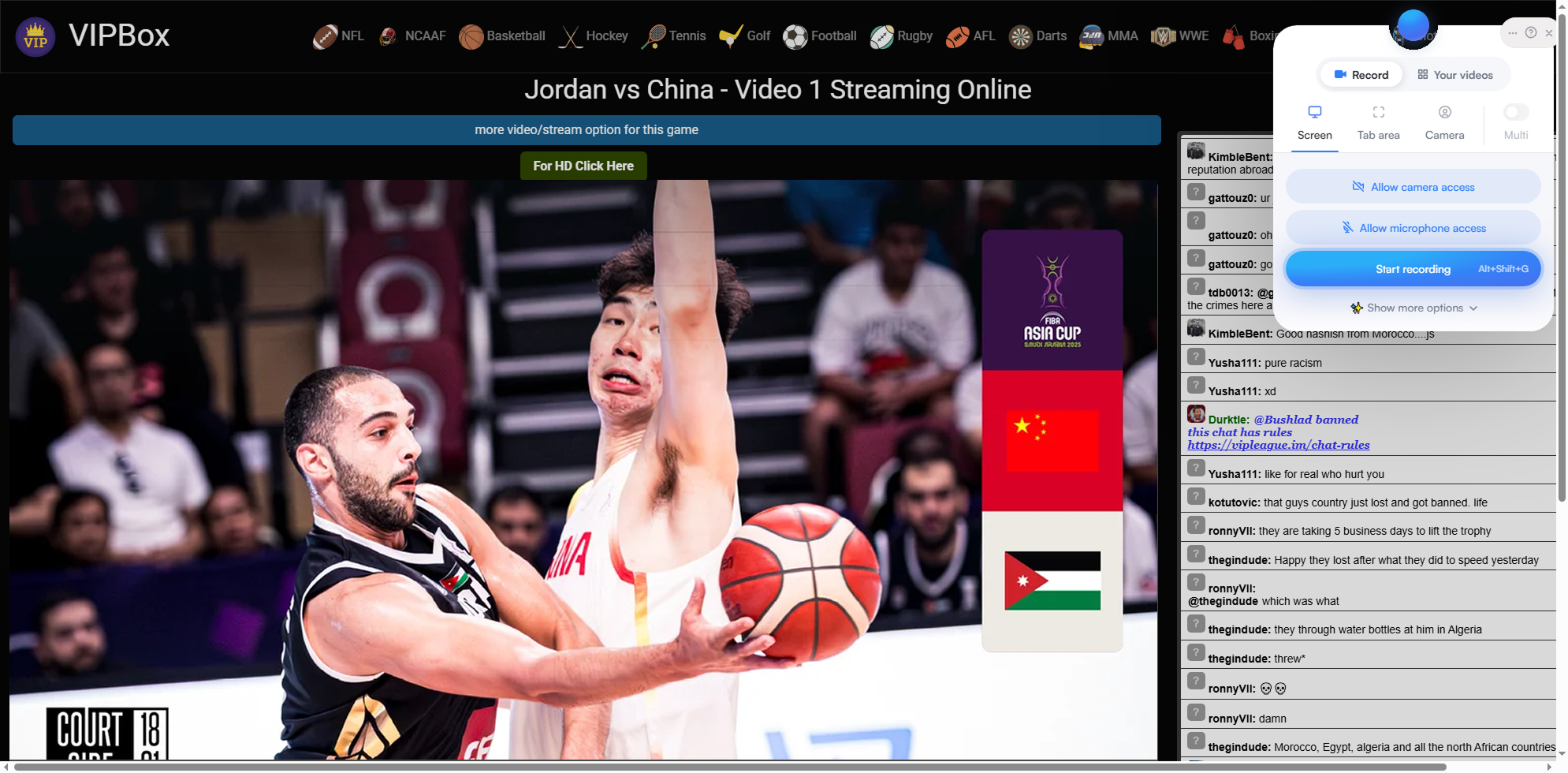
Шаги:
- Install a screen recorder extension like Screenity from the Chrome or Firefox store.
- Open VIPBox and start the live sports stream, then click the extension icon and choose a recording mode (tab or window) and enable system audio.
- Start recording and let the match play; Stop sharing screen and save the video.
Плюсы:
- Установка программного обеспечения не требуется.
- Быстрая настройка
- Good for short clips or highlights
Минусы:
- Limited recording duration
- Lower video quality
- Can lag during fast-paced sports
- Not ideal for full-length matches
3.2 Record VIPBox Live Sports with Online Screen Recorders
Online screen recorders work directly through a website, making them accessible on almost any device. These tools rely on browser-based capture technology and allow you to record your screen without installing apps.
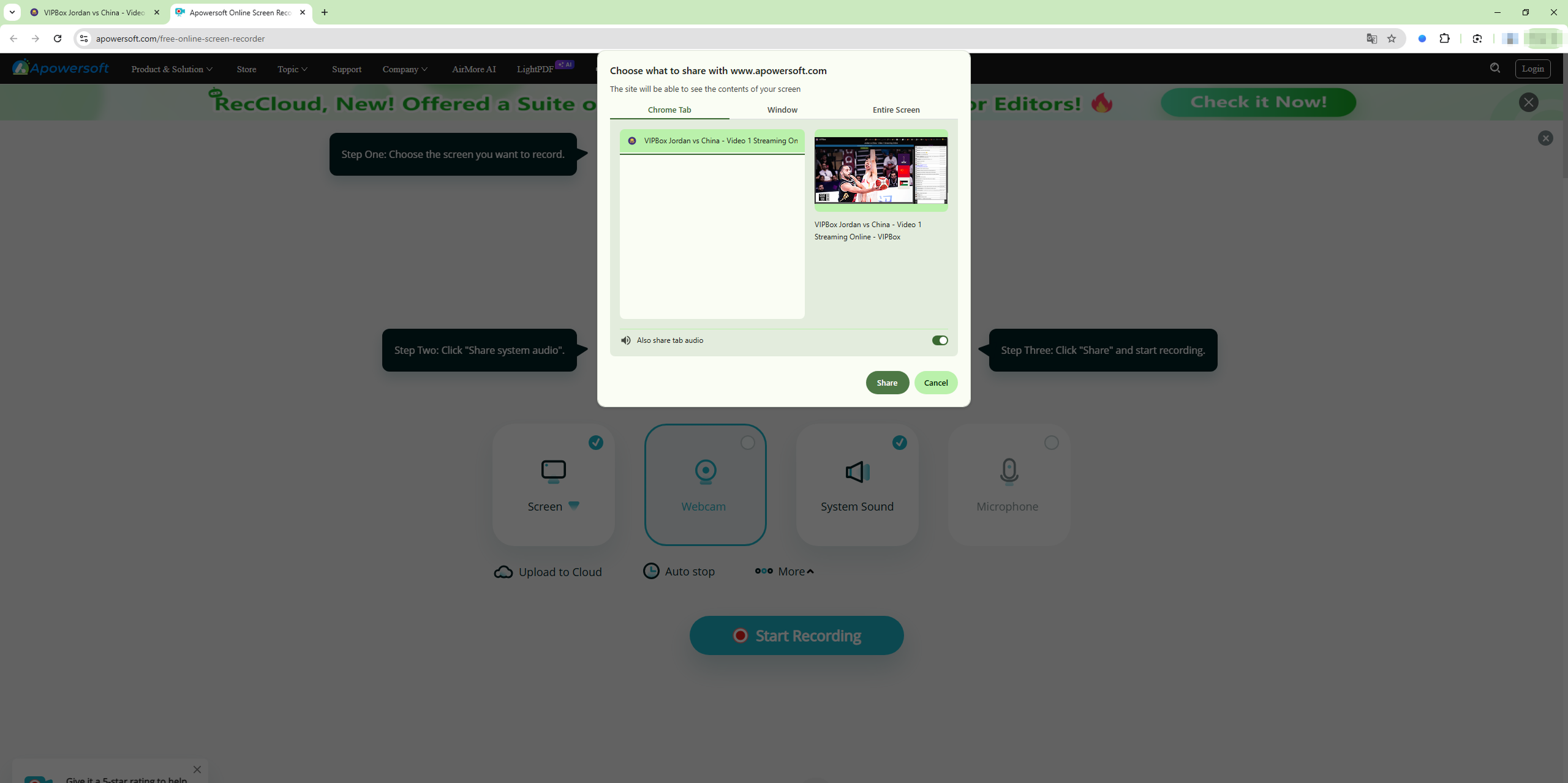
Шаги :
- Visit an online screen recording website like Apowersoft Free Online Screen Recorder.
- Choose the VIPBox window as the recording tab and tart recording before the match begins.
- Stop and download the recorded live event.
Плюсы:
- Установка не требуется
- Works across operating systems
- Простой интерфейс
Минусы:
- Limited recording features
- Often time-limited
- Internet-dependent performance
- Lower frame rates for sports
3.3 [Best Recommended] Record VIPBox Live Sports with – Recordit
For users who want smooth performance, better quality, and full match recording, dedicated screen recording software is the best solution. Recordit stands out as a simple yet powerful screen recorder built for capturing streaming video.
Recordit is designed to record screen activity with minimal setup, making it perfect for live sports streams that require stable audio and video capture.
Основные характеристики Recordit for Recording Live Sports :
- High-quality screen capture (video + audio)
- Real-time recording with minimal lag
- Easy one-click start/stop interface
- Options for full-screen or selected window capture
- Support schdule recording and instant replay
- Compatible with both Windows and Mac platforms
- Exports recordings in popular video formats
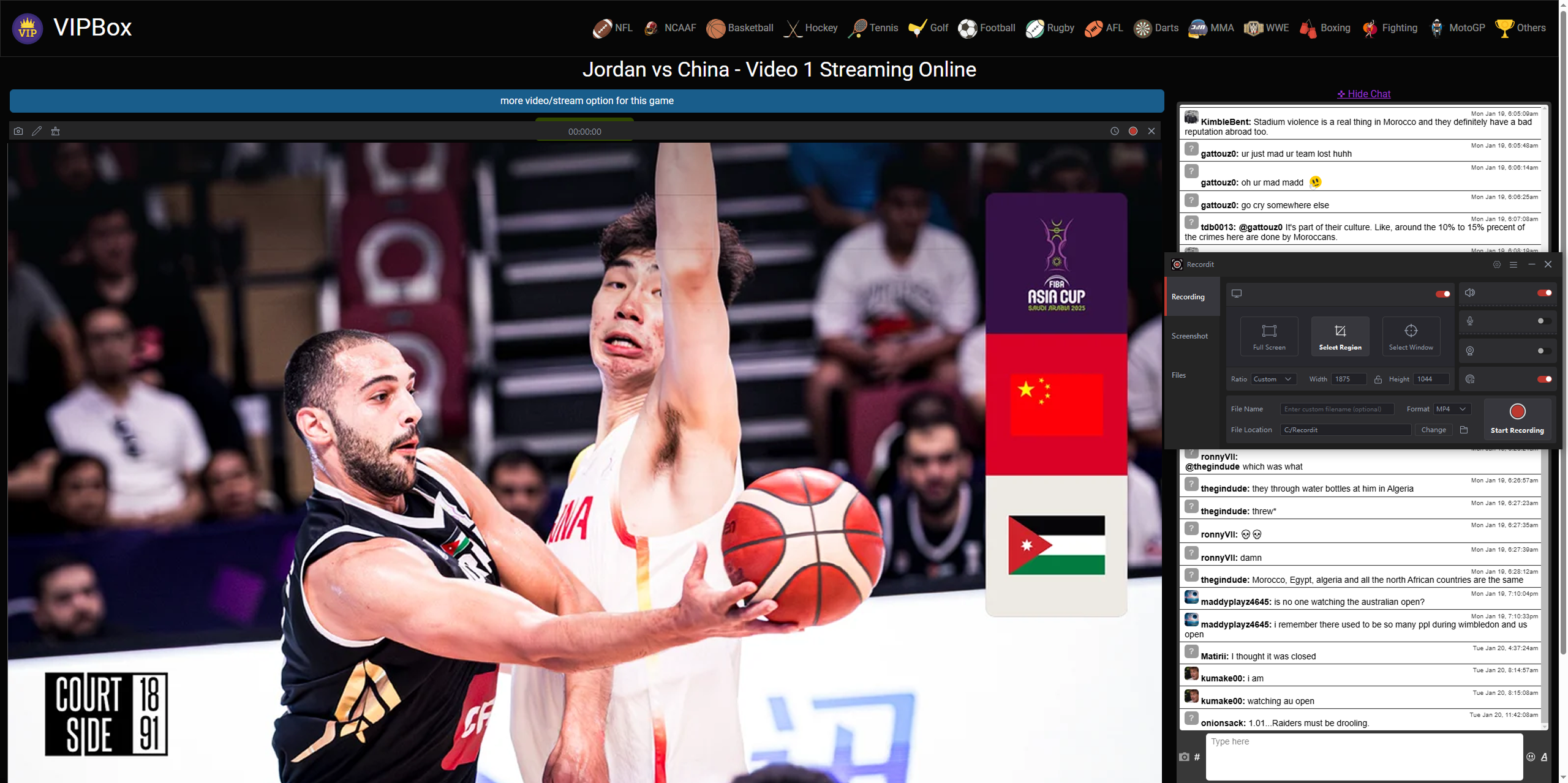
How to Record VIPBox Live Sports Using Recordit :
- Скачать и установить Recordit на вашем компьютере.
- Запуск Recordit and select the recording area and enable system audio.
- Open VIPBox to locate the live sports stream page, and start recording before the event begins.
- Stop recording and find the recorded sport video in the “Files” tab.
4. Вывод
VIPBox remains a popular choice for watching live sports online, but its lack of replay or download options makes recording essential for many viewers. While there are multiple ways to record VIPBox live sports, not all methods offer the same reliability.
- Screen recorder extensions are quick but limited.
- Online screen recorders are convenient but unstable for long events.
- Dedicated screen recorder software provides the best balance of quality and reliability.
For users who want a simple, powerful, and dependable solution, Recordit is the best option. It handles long live streams smoothly, captures clear audio and video, and doesn’t require technical expertise.
If you don’t want to miss a match, a goal, or a game-winning moment, Recordit is the most reliable way to record VIPBox live sports and watch them anytime you want.